LEDs
The LEDs category, shown in Fig. 48, supports the three LED’s that are beneath the display on the Kookaberry.
These LEDs are coloured red, orange and green.
In addition, support is provided for NeoPixel RGB LEDs.

Fig. 48 The palette of KookaBlockly LED blocks
Each block is described in turn below.
Turn ON LED
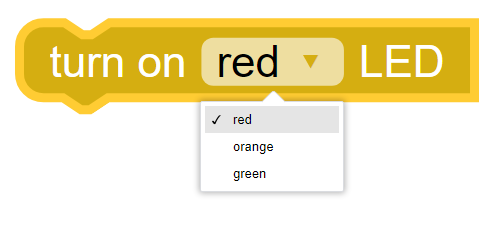
This block turns the LED, selected from the drop-down box, ON.
Turn OFF LED
This block turns the LED, selected from the drop-down box, OFF.

Toggle LED
This block toggles the LED selected in the drop-down box.
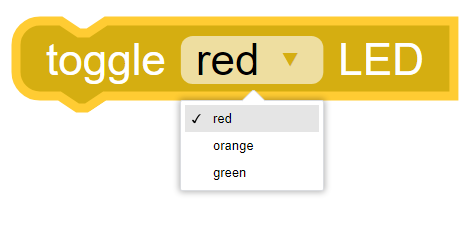
Toggle means to change the state of the LED from OFF to ON, or from ON to OFF, depending on the LED’s state.
Set NeoPixel
This block supports NeoPixel arrays connected to one of the connections selected in the drop- down box.
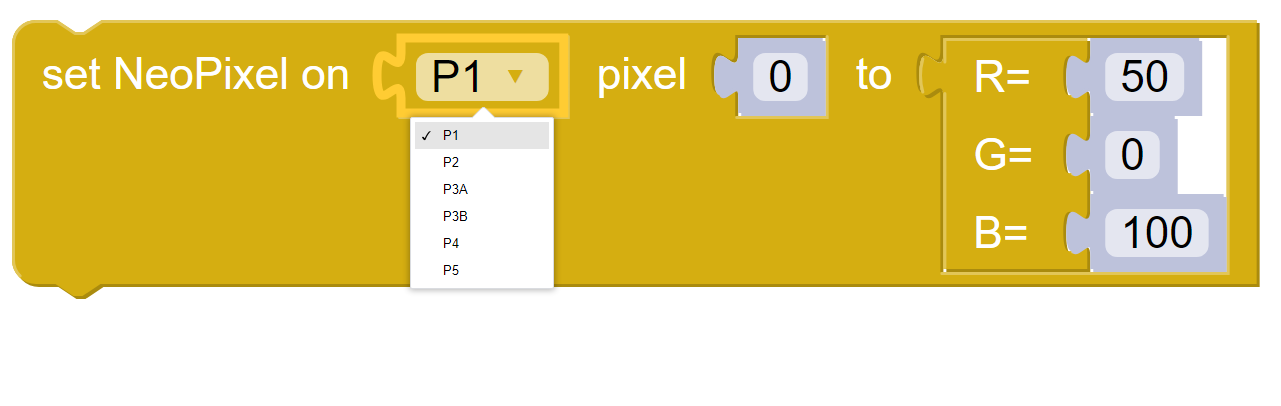
Neopixels are multicolour LEDs with Red, Green and Blue LEDs in every individual Neopixel. The apparent colour of a Neopixel is the result of mixing the Red Green and Blue colours, in the same way that a television screen produces colours.
Neopixels come as single units or in chains of multiple Neopixels.
The following are the controls that can be set or manipulated on this block:
- Pin
The Kookaberry has five connectors on the back,
P1through toP5, with connectorP3having two possible connection points:P3AandP3B. (see the Pins category description).It is possible to replace the Pins dropdown selection block with a String block. This is useful when using Pins other than those exposed on the rear of the Kookaberry, or when other microprocessor boards that are compatible with Kookaberry firmware are being used. In those cases type in the Pin’s identifier into the String block.
- pixel
This is an integer commencing at
0which specifies which pixel in the array will be set.
Important
The Kookaberry can only supply a limited amount of current power to a NeoPixel array.
It is recommended to use no more than 8 NeoPixels, and also to limit the brightness of each to no more than 50 when using more than 4 NeoPixels.
If more NeoPixels and/or brighter illumination is required, then a special power adapter between the Kookaberry and the NeoPixel array is recommended.
- RGB values
Each of the R (red), G (green) and B (blue) values can be set with integers in the range
0to100inclusive.By varying the ratio of RGB values set, a wide range of colours can be achieved, as shown in Fig. 49.

Fig. 49 RGB Primary Colour Combinations
Learn more about using NeoPixels here: https://learn.auststem.com.au/peripheral/rgb-led/